Contents
Instagram shows your work. A website turns a follower into a booking. When someone taps your link, she wants to know three things within seconds: what you do, how much it costs and when she can come. If she has to send a DM to find out, she may not bother, or she may book whichever nail tech answers first.
This guide covers what a nail tech website must contain, in what order, and how to connect it to Instagram and Google. It applies whether you work in a salon, from a home studio or as a mobile nail tech.
What your nail tech website must show
Keep it short. Your site isn’t a brochure: it’s a shop window with a door. The essentials are:
- Your name, your town and what you specialise in, in one line at the top: for example, gel extensions and nail art in a home studio.
- Your services with prices and durations, so clients can choose without asking for a quote.
- Photos of your work, in a gallery of recent sets.
- A booking button that opens your real availability.
- Your address or area, your opening hours and how to find you.
- Your policies: deposit, cancellation and lateness, written plainly.
- Your legal and privacy information in the footer.
Anything else, such as your story, your training or the brands you use, is a bonus. Add it if you have something to say, but never let it push the booking button down the page.
List your services the way clients search for them
Use the words your clients use: full set, fill, gel polish, removal, nail art. Avoid names that only make sense to you. For each service, give the price, the time it takes and one line on what’s included: shape, length, removal or not.
Show add-ons separately: extra length, nail art, French tips, removal of another salon’s work. Clients like to see the full price before they arrive, and you avoid an awkward moment at the end of the appointment. If you’re not sure your prices are right, our guide on how to price nail services walks you through the maths.
Photos that sell your work
Your photos do most of the selling. A few rules make a big difference:
- Use your own work only. Never use generic photos from the internet or pictures taken from other nail techs.
- Shoot in daylight, near a window, against a plain background.
- Tidy cuticles and skin before the photo: the camera shows everything.
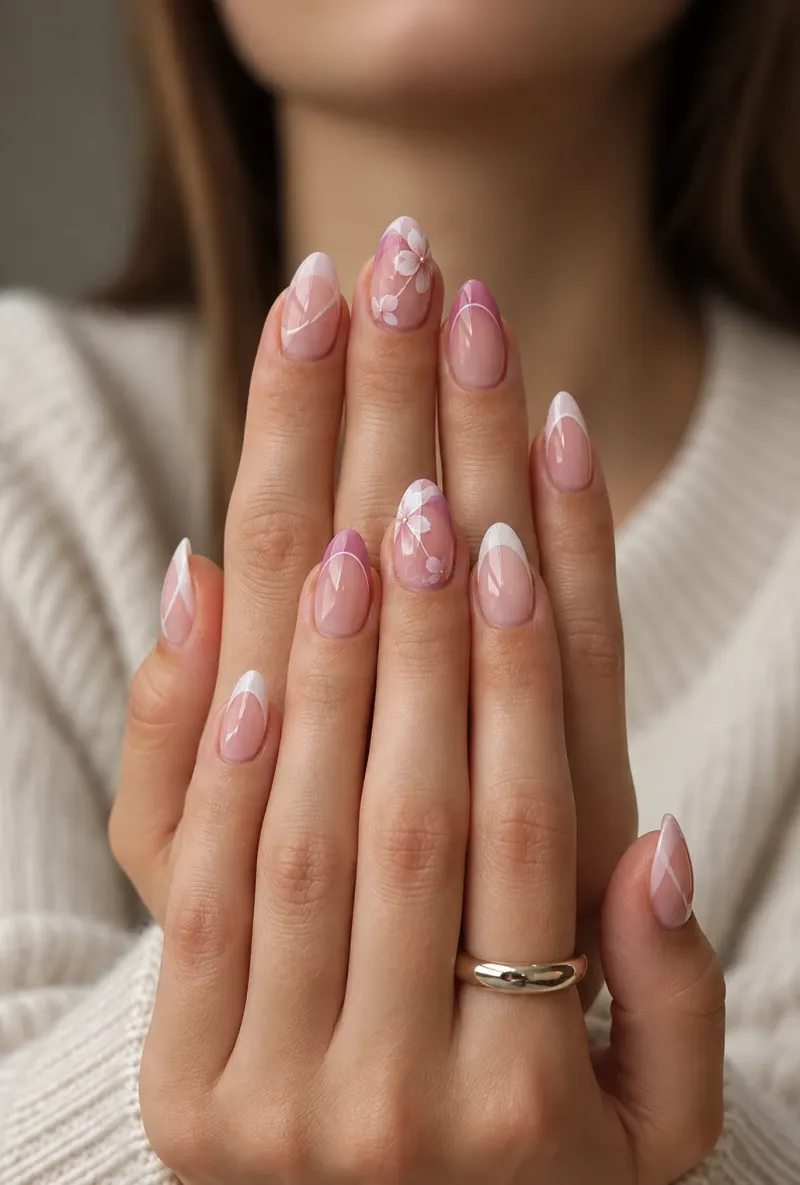
- One set per photo, close enough to see the finish, with the hand in a natural pose.
- Update the gallery regularly so it shows what you do now and the styles you want to be booked for.
Put your best photos where they help a decision: next to the matching service, not only in a gallery at the bottom of the page.
Make booking the obvious next step
The booking button should be visible as soon as the page opens, and again after your services and your gallery. It should open your real free slots, not a contact form you then have to answer by hand. A form only moves the back-and-forth from your DMs to your inbox.
Once your booking page is live, it becomes the link you share everywhere: your Instagram bio, your Google Business Profile, your replies to DMs. Our guide to setting up online booking covers the settings that matter, such as hours, breaks, minimum notice and time between clients.
Your address, your hours and Google
Clients search for “nails near me” or “nail tech” plus the name of their town. To appear in those results on Google Search and Maps, create a Google Business Profile. Google says you can manage how your business shows up on Maps and Search at no charge. Only businesses that meet their customers face to face are eligible, which is exactly what a nail tech does.
On your profile, add your website link, your hours and photos of your work, and use exactly the same name, address and hours as on your site. If you’re a mobile nail tech and don’t receive clients at your address, Google lets you remove your address and show a service area instead.
If you work from home, decide what you show publicly. One option is to show your street or neighbourhood on the site and give the exact address and access details in the booking confirmation.
Legal information and booking policies
Each country has its own rules on what a business website must display: who runs the business, how to contact you, how you use clients’ personal data and sometimes your registration details. Check the official rules for your country before you publish, and keep that information easy to find in the footer.
Write your booking policies in plain words: the deposit, how much notice you need to cancel or move an appointment, and what happens if a client is late or doesn’t show. Clients accept rules they saw before booking much more easily than rules they discover afterwards. Our guide on reducing no-shows helps you write them.
On MANIQLY, the footer of every site always shows the salon’s legal notice, its privacy information and its booking conditions, so they’re never missing.
Check everything on your phone first
Your link gets tapped inside Instagram, on a phone, often with one hand. Before you share it, open your site on your own phone and check that:
- the first screen shows who you are, a photo of your work and the booking button;
- the text is readable without zooming and the buttons are easy to tap;
- photos load quickly, because very large files slow the page down;
- booking takes only a few taps, from choosing a service to a confirmed slot;
- your address opens in a maps app when tapped.
Then ask a friend to book a test appointment without your help, and watch where she hesitates. Fix that first. MANIQLY sites are designed for the phone first, but this test is worth doing whatever you use.
Frequently asked questions
- Do I need a website if I already have Instagram?
- Instagram is good for showing your work, but it can’t show your prices, durations and free slots in one place. A website with online booking lets a new client book without waiting for your reply, and it can be found on Google.
- What should a nail tech website include?
- Your services with prices and durations, photos of your own work, a booking button with your real availability, your address or area and hours, your booking policies, and your legal and privacy information.
- Is a Google Business Profile free?
- Yes. Google says you can manage how your business appears on Maps and Search at no charge, as long as your business meets customers face to face.
- Can I build a nail tech website without coding?
- Yes. Website builders made for nail techs let you choose a template, add your services and photos and publish without writing any code. Check that online booking is built in rather than added on separately.